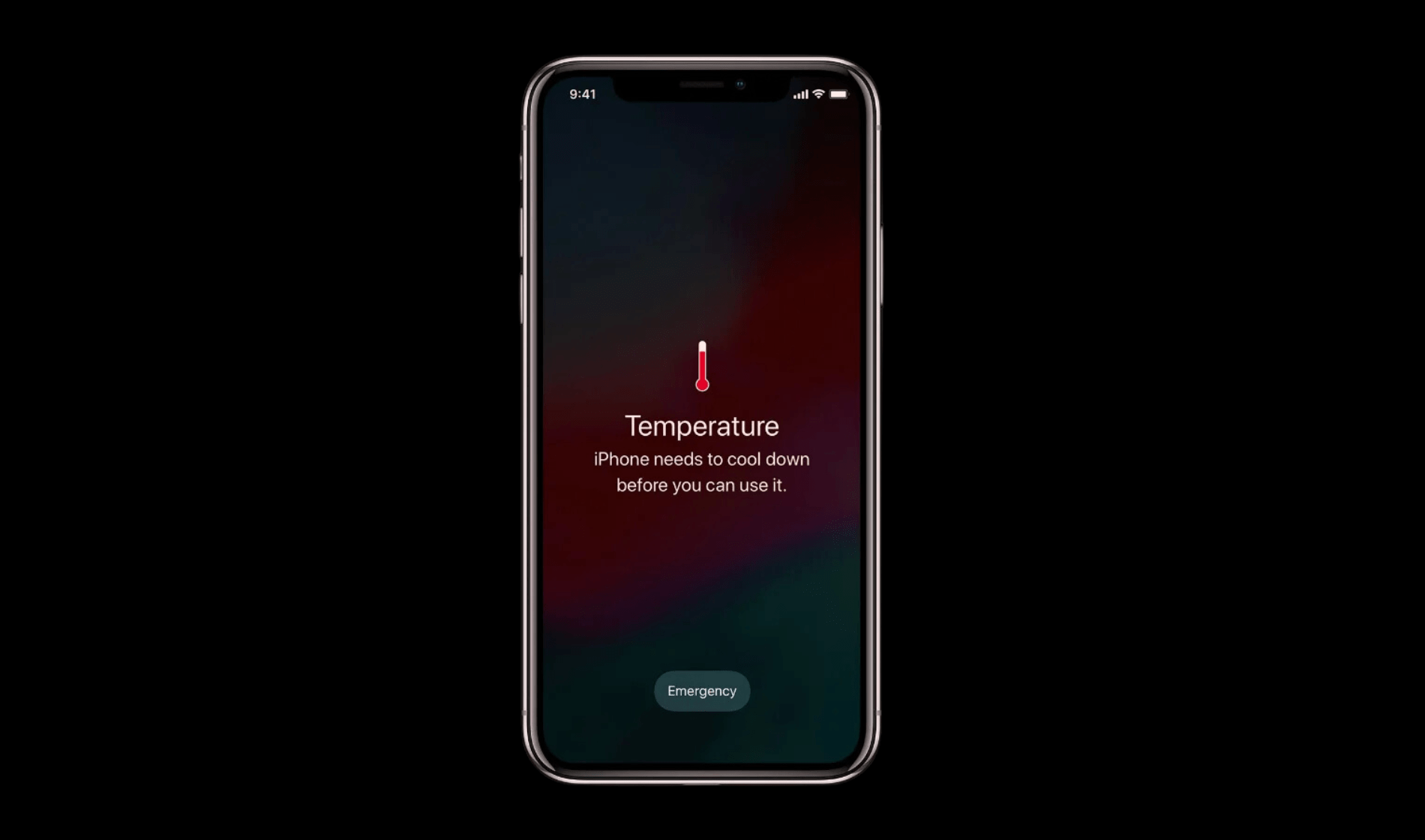
iPhone Overheating can easily turn the smooth-functioning device into a burning stone, causing great concern for the users.
No matter which models they use, the sudden heat problem can ruin the overall device’s performance, causing it to slow down and even unexpected long-term damages.
So, understanding the reasons and following good practices can help keep the device in optimal condition. For those facing persistent issues, seeking professional iPhone repair services may also be needed.
In this, we’ll dive deep into the growing excessive heat problem, learn causes, and 10 effective solutions to prevent it.
Table of Contents
Understanding iPhone Overheating
Lately, iPhone overheating has become a rather common issue among Apple users. In particular, those living in high-temperature regions or using intensively.
According to online publications, such as Asurion and CNET, the main reason behind encountering this is related to excessive use without giving a break to the device.
For instance, activities such as gaming, watching videos, downloading or uploading heavy files, etc. It is crucial, however, to understand the factors that are causing the overheating, to be able to take preventative measures.
If you keep ignoring such issues, they may actually lead to major problems like affecting performance, reducing battery life, and even causing loss of data.
iPhone Repair – Good or Bad?
Actually, it depends on many factors. But, iPhone repair is indeed cost-effective, especially if you have issues like body damage, scratches, broken screen, old tamper, water damage, overheating, and more.
In such cases, we suggest you have your device repaired and not buy a new one. Professional technicians at our store of Apple device repair in Auckland can easily check and know the cause, giving you all the details of it.
5 Major Causes of iPhone Overheating
Excessive Usage
You may be using your iPhone excessively without giving it a proper break. For instance, those who play games, stream videos, or use Maps for many hours with no break may be putting a heavy load on the processor.
Direct Sunlight
When the device is exposed to direct sunlight or high-temperature areas, it may cause of overheating and slow its overall functioning.
Background Apps
Running multiple apps in the background can cause pressure on the device, leading to heat-related issues.
Outdated Software
If you are not keeping your device up to date, it can cause bugs and many similar inefficient problems in the system.
Duplicate Accessories
Using non-certified accessories or chargers can cause technical and software issues on the device.
10 Steps to Fix iPhone Overheating
You can fix overheating in Apple devices like iPhones using the following 10 methods:
- Clean your device regularly to prevent dust from blocking ventilation.
- Delete and reinstall apps to clear old cache, helping improve performance and reduce heat.
- Turn on Airplane Mode when you are in areas with poor signal to prevent your device from working too hard to find a connection.
- You should always use certified chargers and other accessories to ensure proper power management.
- As well as, you can try to reset all settings to default (without deleting data) by going to Settings > General > Reset > Reset All Settings, which can resolve software issues causing such heat related problems.
- Moreover, try to limit the use of high-performance apps and games that require significant processing power.
- Moving further, you can also enable low power mode that will help reduce background activity and lower heat production.
- Do turn off your Bluetooth, Wi-Fi, and GPS when you are not using the, helping reduce the battery power consumption and reducing overloading.
- Make sure that you are updating your device regularly, at least every month.
- Users should disable background app refresh for those who don’t need to update constantly.
Conclusion
By now, you may have a fair idea of the factors causing iPhone overheating and what to do to resolve it. By following the mentioned tips, like not using while charging or deleting cache files, you may be able to resolve this on your own.
However, if this issue continues, you can also consider seeking help, such as going for iPhone repair or chatting with customer support. In addition, if you live in Auckland and are having issues with your iPhone or any other Apple device, our Apple device repair store in Auckland can help you fix it within a short time.