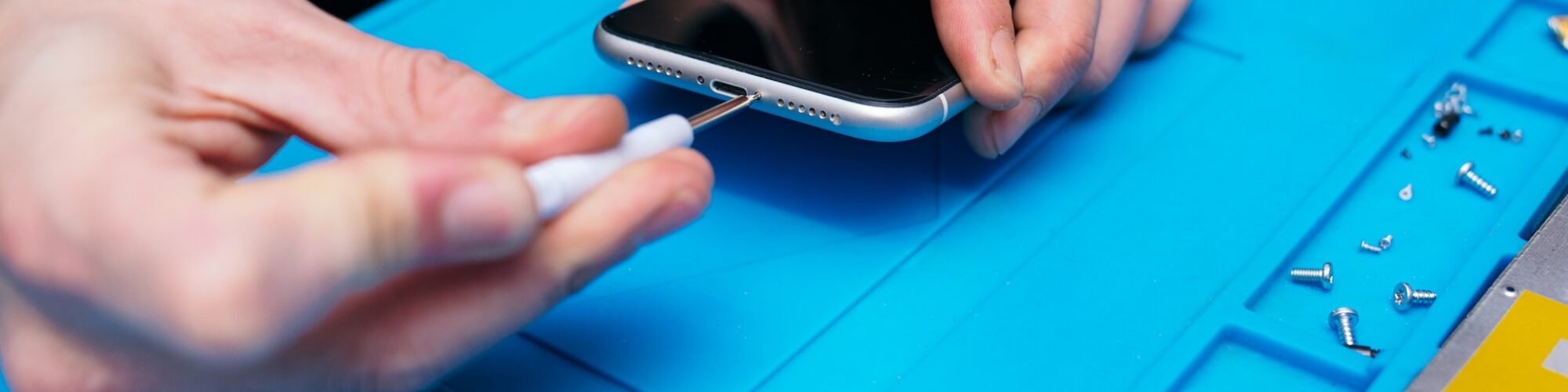
When Auckland’s leading Apple MacBook repair specialists tackled what three other shops couldn’t fix – a “dead” MacBook Pro A2485 with complex motherboard failure, liquid damage, and trapped data.
This is how SMASHED IT’s micro-soldering expertise and component-level diagnosis turned a write-off into a complete recovery, saving both device and irreplaceable files.
The Challenge: MacBook Pro Motherboard Repair
A frustrated Aucklander walked into our Parnell store with what looked like a paperweight. Their 16″ MacBook Pro A2485 showed zero signs of life – no power light, no fan noise, nothing. Sweet as, we’ve seen this before.
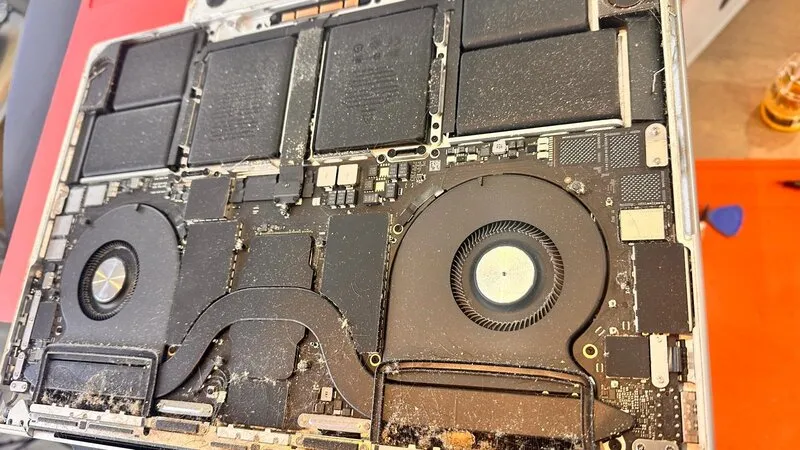
- The problem: When plugged in, the device only drew 5V instead of the healthy 20V jump you’d expect from a working MacBook. That’s textbook motherboard trouble, and another repair shop had already written it off as cactus.
- Customer’s biggest worry: Three years of work data trapped inside.
Table of Contents
Initial MacBook Motherboard Diagnosis
Cracking open the MacBook Pro revealed why this machine was playing dead. We found:
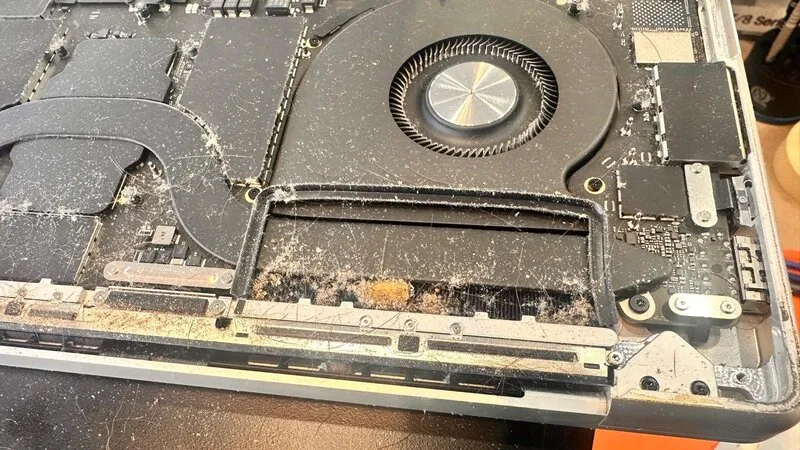
- Dust bunnies that would make your vacuum jealous
- A random metal wire (how’d that get there, eh?)
- Corrosion around the USB-C controller circuit
- Moisture damage on key motherboard components
Yeah nah, this wasn’t going to be a quick fix.
Technical Specifications
- Device: MacBook Pro A2485 (16-inch)
- Primary Issue: Motherboard power regulation failure
- Secondary Issue: LCD moisture damage
- Data Recovery: 100% successful
The MacBook Pro Motherboard Repair Process
Every successful motherboard repair starts with systematic diagnosis – no guesswork, no shortcuts. Here’s exactly how we brought this A2485 back from the dead.
Step 1: Isolating the Power Rail Short
The culprit was multiple components shorting the 3.3V power rail – basically the MacBook’s lifeline. When this circuit fails, your expensive laptop becomes an expensive doorstop.
Our motherboard repair approach:
- Component identification – Located all shorted parts near the USB controller IC
- Precise removal – Used micro-soldering techniques to extract damaged components
- Clean installation – Replaced with quality parts that meet Apple specifications
- Voltage restoration – Confirmed proper 5V to 20V power negotiation
Step 2: Addressing Internal MacBook Screen Damage
Once the motherboard was breathing again, we discovered the screen was still cactus. Moisture had penetrated the LCD layers – not just surface damage, but internal screen damage that ruled out simple connector fixes.
Screen replacement included:
- Compatible high-quality LCD assembly
- Proper sealing to prevent future moisture ingress
- Full testing of brightness and colour accuracy
Step 3: Complete System Restoration
We didn’t stop at the motherboard repair. This MacBook got the full treatment:
- Deep clean of internal chassis and cooling system
- Trackpad restoration – cleaned connectors and tested responsiveness
- Port maintenance – all USB-C, headphone, and charging ports
- Fan service – removed dust buildup for optimal cooling
MacBook Pro Motherboard Repair Results
After overnight testing (we don’t rush these things), the results were choice:
- Full power restoration – proper 20V charging negotiation
- Complete screen functionality – crisp display, accurate colours
- 100% data recovery – every file intact and accessible
- System stability – no crashes or unexpected shutdowns
- Optimal performance – running like new again
Customer Reaction: “I can’t believe it’s working again! The other place said it was impossible.”
The relief on their face was worth it. This wasn’t just about fixing MacBook Pro A2485 hardware—it was about saving years of irreplaceable work and memories.
What This MacBook Pro Motherboard Repair Cost vs Value
- Repair investment: Significantly less than replacement
- Device value saved: $3000+ MacBook Pro
- Data value: Priceless (three years of work)
- Time to completion: 48 hours including testing
Compare that to Apple’s “replace the whole logic board” approach, and you’re looking at serious savings.
Types of MacBook Motherboard Damage We See in Auckland
From our Parnell, Ponsonby, and Papakura locations, these are the most common motherboard repair scenarios:
- Liquid damage – Coffee spills, Auckland rain, high humidity
- Power rail shorts – Like this A2485 case study
- Component corrosion – Especially near charging ports
- Thermal damage – Overheating from blocked vents
- Physical damage – Drops, pressure on closed lid
Signs Your MacBook Pro Needs Motherboard Repair
Watch for these red flags that indicate potential motherboard issues:
- No power response despite charging cable connection
- Intermittent startup – sometimes works, sometimes doesn’t
- Unusual charging behaviour – slow charging or no charging recognition
- Random shutdowns during normal use
- USB-C ports not recognising devices
- Fan running constantly at high speed
Why Choose SMASHED IT for MacBook Motherboard Repair?
This A2485 recovery showcases what sets us apart from other Auckland repair shops:
- Micro-soldering expertise – We work at component level, not just module swaps
- Comprehensive diagnosis – We find the real problem, not just symptoms
- Data recovery priority – Your files matter as much as the hardware
- Warranty backing – Confidence in our motherboard repair work
- Local knowledge – We understand Auckland conditions and how they affect devices
MacBook Pro A2485 Repair Summary
What started as a “dead” MacBook Pro became a complete recovery success story. Through systematic motherboard repair, component replacement, and thorough testing, we saved both the device and irreplaceable data.
Key takeaways:
- Professional motherboard repair can revive seemingly dead MacBooks
- Multiple issues often compound – screen damage, power problems, and corrosion
- Quality repairs include comprehensive cleaning and testing
- Data recovery is possible even with severe motherboard damage
- Prevention through regular maintenance saves money long-term
This macbook pro motherboard repair case proves that with the right expertise and persistence, even “impossible” repairs are achievable. What started as a 5V power draw mystery turned into a complete system restoration.
The combination of motherboard repair, screen replacement, and thorough cleaning gave this customer their digital life back. Sometimes the difference between “repairable” and “unrepairable” is simply knowing where to look.
Need expert MacBook repair in Auckland?
Don’t let another shop tell you it’s impossible. Our qualified technicians at SMASHED IT have successfully repaired hundreds of “dead” MacBooks.
Visit us in Parnell, Ponsonby, or our partner store in Papakura for a free diagnostic assessment.