When your MacBook Pro won’t turn on, it’s proper stressful. As Auckland’s leading macbook repair specialists, we’ve fixed over thousand MacBooks across our Parnell, Ponsonby, and Papakura store.
This detailed case study reveals how our expert technicians solved a complex MacBook Pro 2021 Edition repair that stumped other local repair shops. From macbook liquid damage repair to MacBook pro low adapter charging problem diagnostics, this real workshop journey demonstrates why proper expertise matters.
You’ll discover the hidden culprit behind intermittent power issues and learn exactly how we approach water damage macbook pro repair cases that seem impossible to fix.
Table of Contents
The Challenge: Completely Unresponsive MacBook Pro
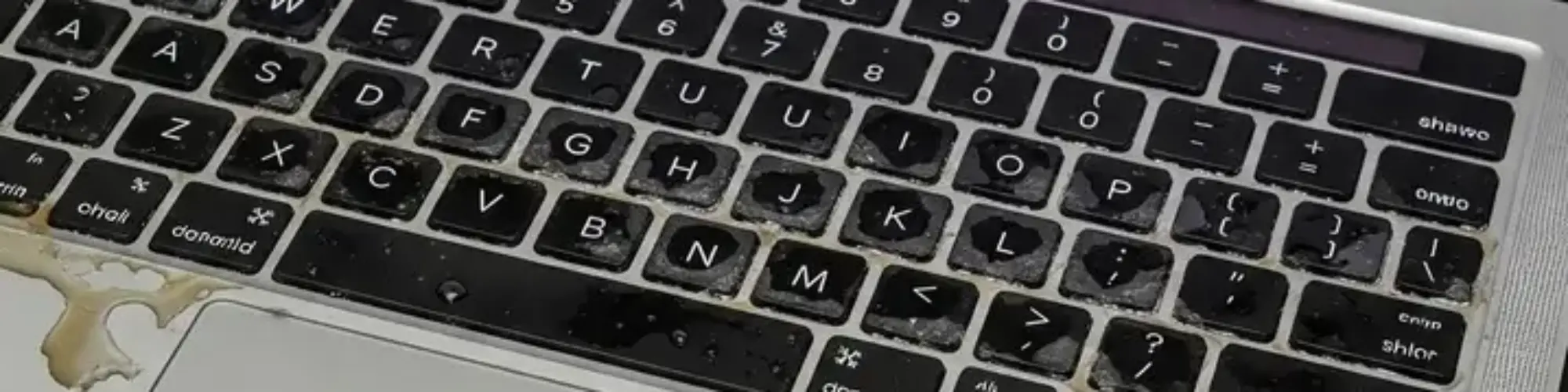
A customer from central Auckland brought us their MacBook Pro A2442 (14-inch, 2021 model). The situation was grim – the device was completely dead. No lights, no sounds, nothing.
Initial Assessment: Liquid Damage MacBook Pro Repair
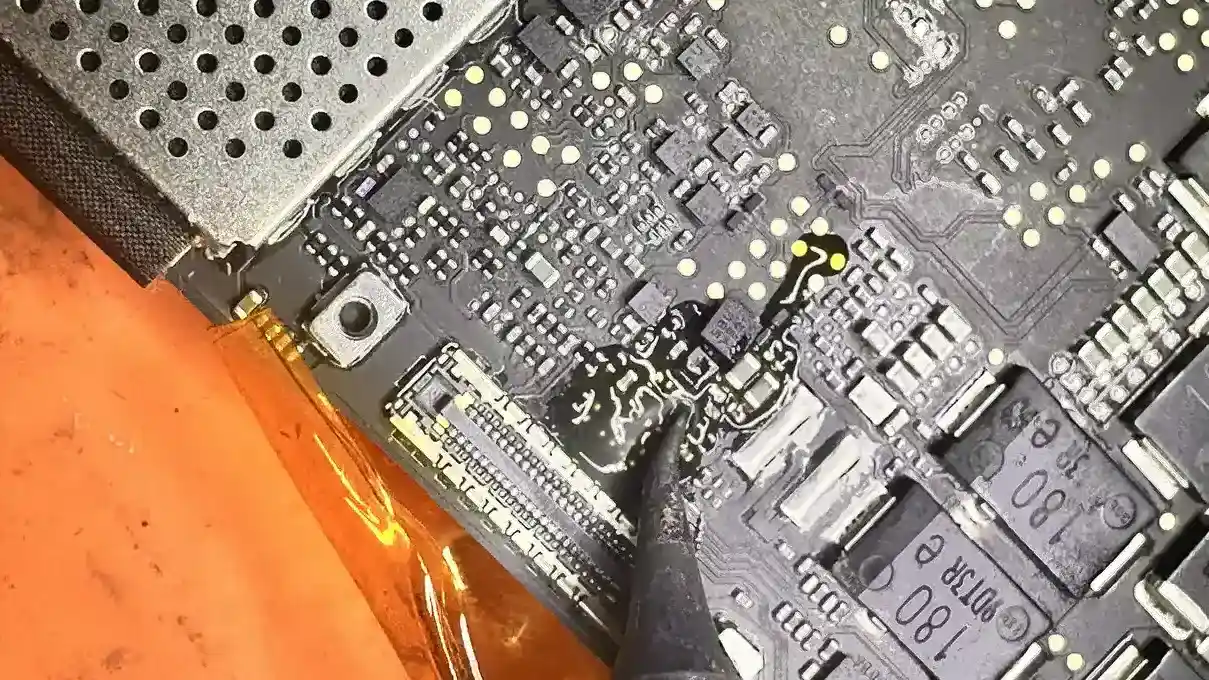
Our technicians immediately spotted the telltale signs:
- Corrosion around key components
- Rusted elements on the logic board MacBook Pro repair areas
- Clear indicators of water damage MacBook Pro contamination
Yeah nah, this wasn’t going to be a quick fix. Macbook liquid damage repair cases like this need proper expertise.
Our Repair Process: Step-by-Step MacBook Logic Board Restoration
Every macbook logicboard repair starts with proper diagnosis. You can’t just chuck components at the problem and hope for the best. Our Auckland workshop follows a systematic approach that’s saved hundreds of MacBooks from the electronic graveyard.
Stage 1: Component Analysis and Replacement
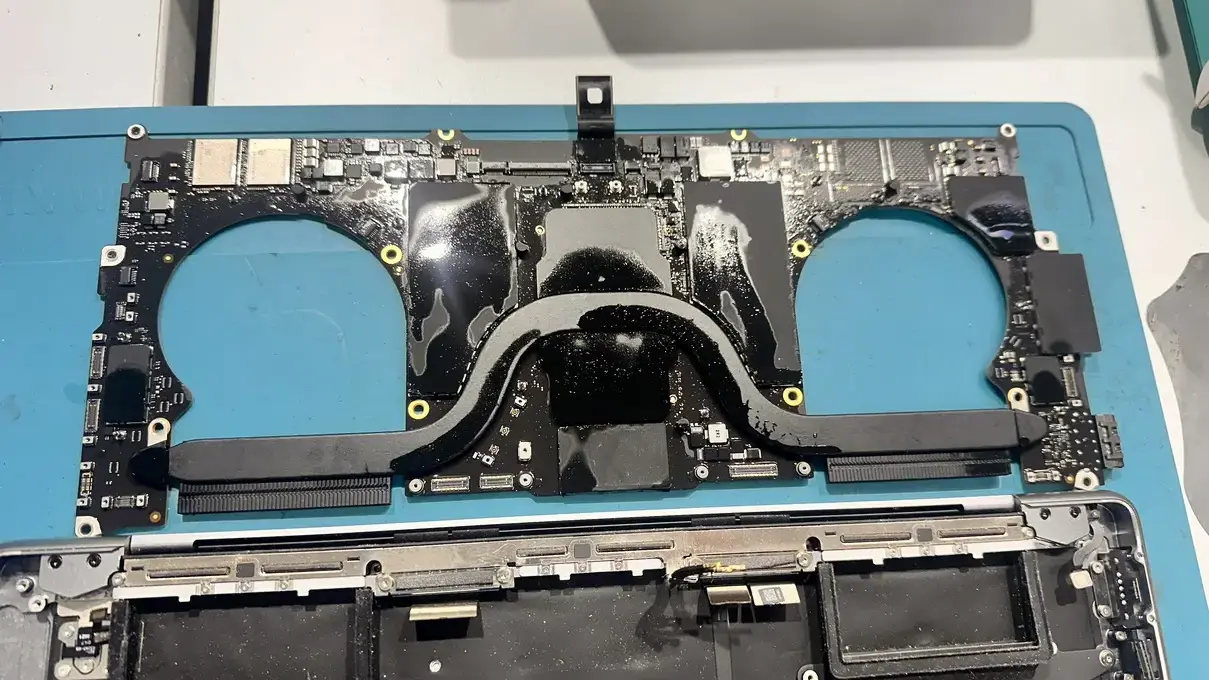
For this apple macbook pro repair, we followed our proven methodology:
- Complete disassembly of the affected areas
- Component-level diagnosis of damaged parts
- Precision replacement of corroded elements
- Ultrasonic cleaning with isopropyl alcohol
The macbook logicboard repair process took several hours. Our Parnell workshop has specialised equipment for these complex jobs.
Stage 2: Post-Repair Testing
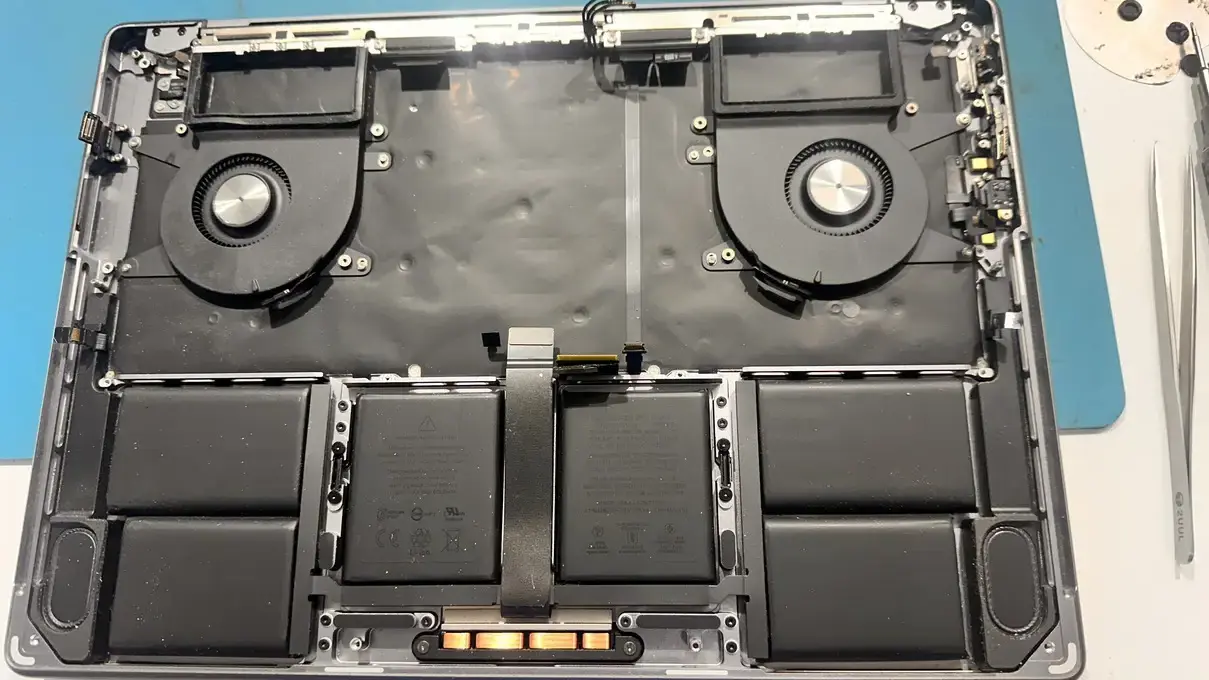
After the initial water damage macbook pro repair, the MacBook powered on perfectly. All systems checked out:
- Display functioning normally
- Keyboard and trackpad responsive
- Battery charging correctly
- All ports operational
Sweet as! We returned the device to our happy customer.
The Return Visit
Two weeks later, the same customer contacted us. The unresponsive MacBook repair issue had returned. But here’s where it gets interesting.
Workshop Re-evaluation Findings
When we tested the MacBook in our workshop, it worked flawlessly. This pointed to an external factor causing the MacBook pro low adapter charging problem.
Our investigation revealed the root cause: incorrect charger usage.
The Real Culprit: Wrong Charger Specifications
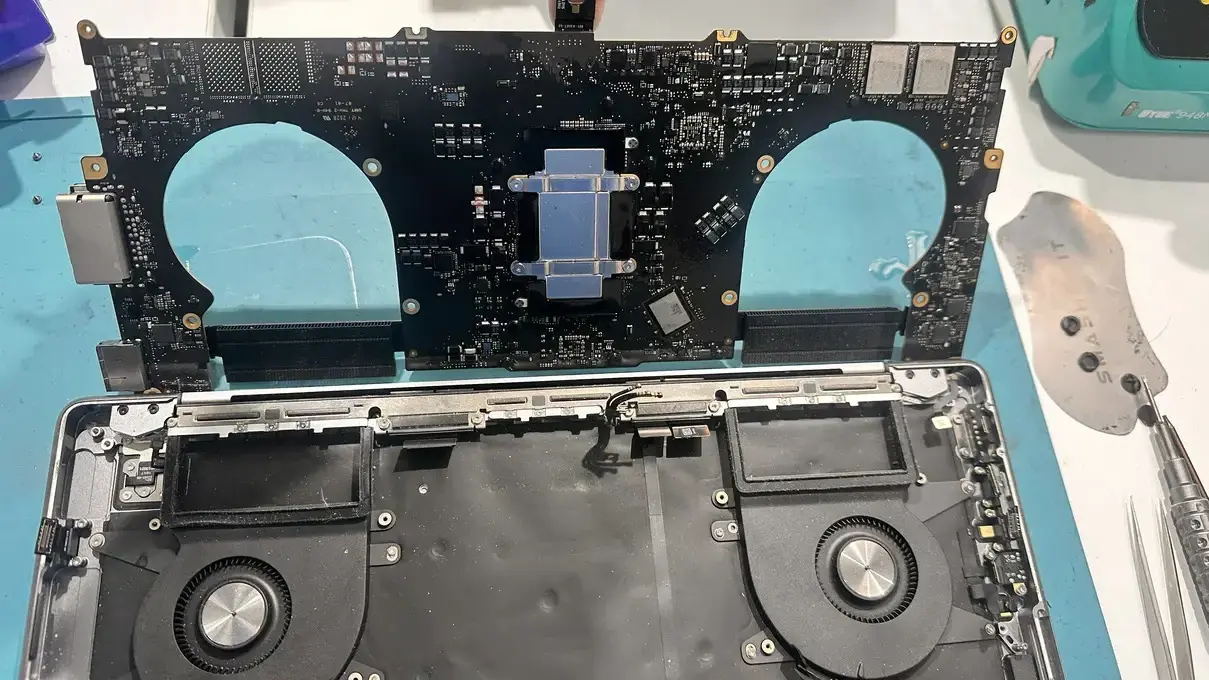
The MacBook Pro A2442 requires a 140W USB-C power adapter. The customer had been using a lower-capacity charger.
Why This Matters for MacBook Pro Users
Using an underpowered charger causes several issues:
- Inadequate power delivery to system components
- Intermittent boot failures during startup
- Slow leakage currents affecting motherboard stability
- Long-term damage to internal circuitry
For Kiwi tradies and professionals relying on their MacBooks, this can mean lost productivity and frustration.
Technical Deep Dive: Power Requirements
The MacBook Pro 14-inch (2021) demands proper power management:
- Minimum requirement: 140W for optimal performance
- Lower wattage adapters: Cause system instability
- Genuine adapters: Ensure correct voltage regulation
Lessons for Auckland MacBook Users
After completing hundreds of MacBook Pro repairs across our Parnell, Ponsonby, and Papakura store locations, we’ve spotted patterns. Most MacBook disasters are totally preventable with the right knowledge.
Here’s what every Auckland MacBook owner needs to know.
Prevention Tips
- Always use genuine Apple chargers or certified alternatives
- Check wattage specifications before purchasing replacement adapters
- Avoid cheap knockoff chargers from overseas suppliers
- Regular maintenance prevents minor issues becoming major repairs
When to Seek Professional Help
Contact macbook screen repair Auckland specialists if you notice:
- Intermittent power issues
- Charging problems
- System instability
- Liquid damage signs
Cost Considerations: Water Damage MacBook Pro Repair Cost
Water damage macbook pro repair cost varies depending on:
- Extent of corrosion damage
- Components requiring replacement
- Time needed for thorough cleaning
- Post-repair testing requirements
Our transparent pricing means no surprises for Auckland customers.
Final Outcome
With the correct 140W charger, the MacBook has performed flawlessly. Our customer now enjoys:
- Reliable startup every time
- Proper charging performance
- Full system stability
- Peace of mind with our warranty
Expert Recommendations
Based on our workshop experience with hundreds of MacBook repairs:
- Invest in genuine accessories from the start
- Don’t ignore intermittent issues – they often indicate underlying problems
- Choose experienced repair services for complex liquid damage cases
- Ask about warranties on completed repairs
Ready to Fix Your MacBook Issues?
Chur bro! If your MacBook’s playing up or you’re dealing with liquid damage, don’t stress. Our expert technicians at SMASHED IT have sorted thousands of Apple Devices.
Visit us in Parnell, Ponsonby, or our Papakura partner store for honest assessments and warranty-backed repairs that actually last.